Replies based on the post
Click an empty comment box for suggestions based on the post. When you click Reply, FB+ uses that customer’s comment to suggest answers about price, stock, shipping, or policies.
FOR CHROME ON DESKTOP
FB+ (pronounced FB Plus) brings five comment ideas beside the post. Choose one that sounds like you, edit it if you like, and send it yourself.
Unlimited free suggestions · No account needed
Interactive example · never posts to Facebook
I tried growing cherry tomatoes on my balcony this weekend. Just a few little pots, but looking after them each morning makes my day.

 Suggestions from FB+
Choose a reply to try filling the draft.
No extra tool to open while reading a post. Your everyday drafting tools are beside the comment box.
Click an empty comment box for suggestions based on the post. When you click Reply, FB+ uses that customer’s comment to suggest answers about price, stock, shipping, or policies.
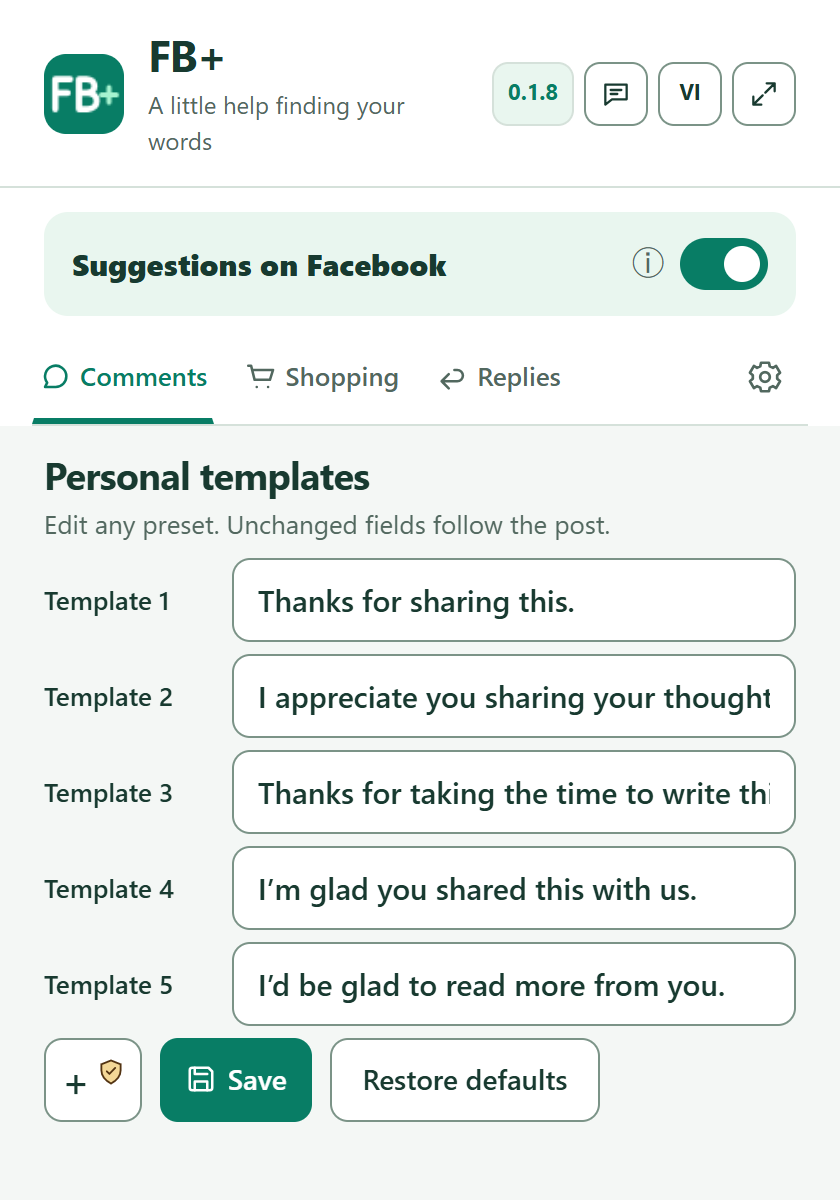
Edit any of the five prefilled examples. Unchanged or empty fields use suggestions based on the post.
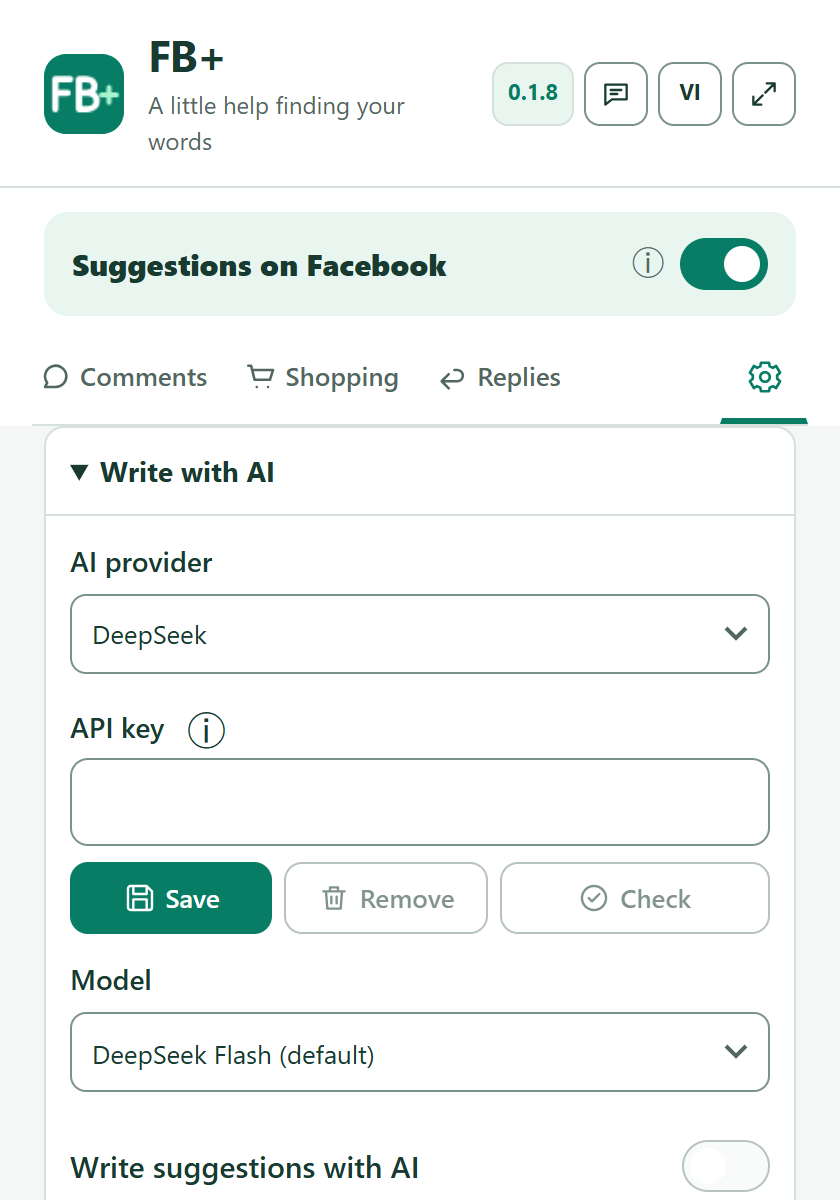
Save your DeepSeek, OpenAI, Gemini or Claude API key, then pick a model or keep the low-cost default. You can also connect a local OpenAI-compatible server. Generate drafts on demand or when you click an empty comment box.
Review call times, input/output tokens and status. Download TXT or clear the history from the extension.
Use ready-made questions about price, stock, shipping costs, warranty and returns. Edit and save each question in FB+ for reuse.
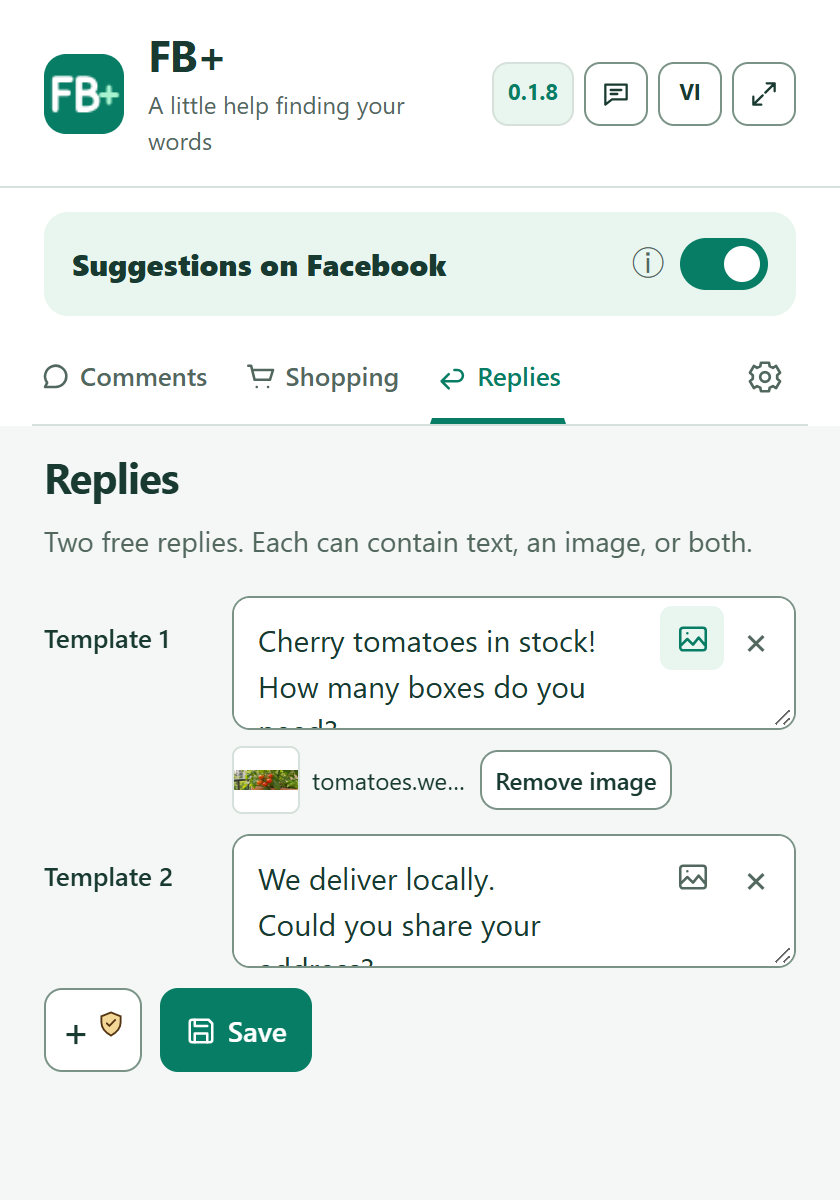
Use multi-line replies, images, or both, such as a payment QR code, in Facebook comments and chat. Free includes two replies. Pro adds more slots and search by reply text or image name.
Type fb in an empty Facebook chat box to open Replies. Change or disable the shortcut in Settings.
Open the weekly report in its own tab to see your top 100 inserted drafts, including AI suggestions, and add them to Replies.
Export a ZIP in Settings, then choose or drop it into FB+ in another Chrome profile.
Click its empty comment box.
Pick one of the five suggestions or use the Shopping and Replies icons to switch libraries next to the comment box. Edit the draft if needed.
FB+ only fills a draft. You decide when to send it with Facebook.
FB+ needs no CNLG+ key, quota service or separate account. Your settings stay in your browser.
No. Built-in and personal templates are free and unlimited. No CNLG+ key or quota-service connection is required.
AI is optional and uses your own API key. The provider may charge your account. Local FB+ suggestions remain free.
No. You select a suggestion to fill the comment box, edit it if needed, and send it yourself in Facebook.
Yes. Open the Comments tab, enter your templates, and save. There are five fields by default, or up to ten with Pro. Unchanged or empty fields use suggestions based on the post.
Open FB+ → Shopping, edit the questions and click Save. Blank fields use the built-in questions, and Restore defaults resets all five. With Pro, you can add and name up to five more questions. On Facebook, click an empty comment box and open Shopping templates to choose a question.
To identify comment boxes, read the related post or comment you are replying to and insert your selected draft. AI access is requested for the provider you enable.
Yes. Disable suggestions, remove a provider’s API key, restore templates or clear history in settings. Uninstalling removes extension-owned local data.